Stream audio from your Nextcloud, ownCloud, Dropbox, OneDrive, SharePoint, AWS S3, Wasabi, DigitalOcean Spaces, Cloudflare R2, Backblaze B2, MinIO, pCloud, WebDAV servers, and S3-compatible storage directly on your WordPress site. Point the player at a folder. It builds the playlist. Perfect for podcasts, music, and courses.
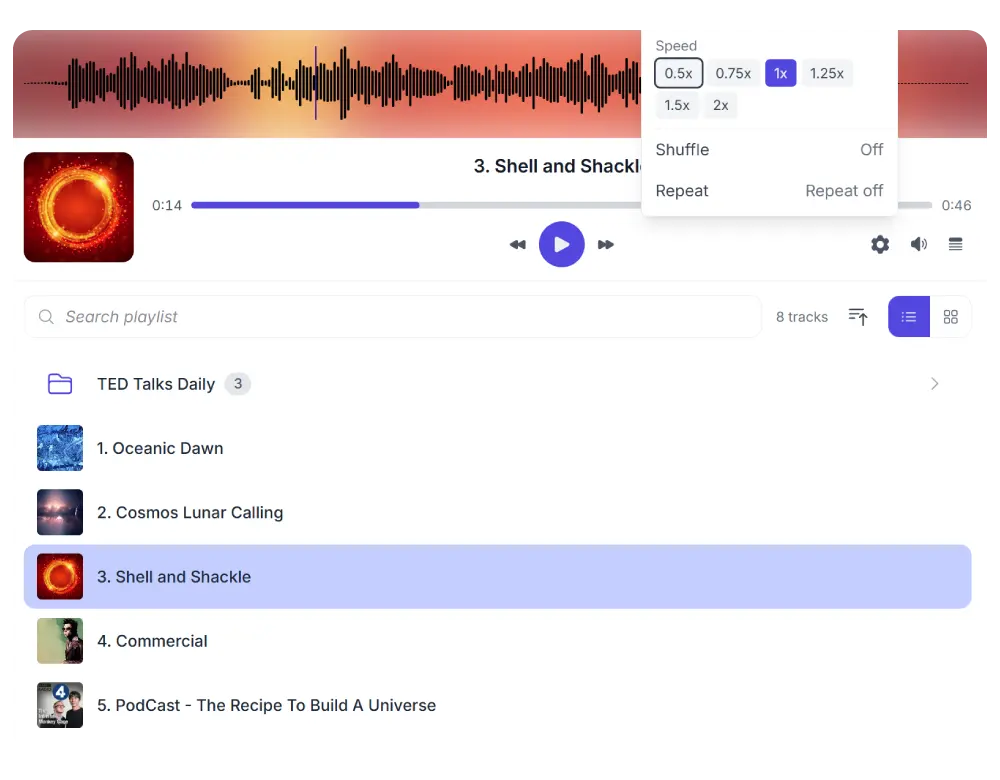
This is a live Audio Player connected to a real folder in cloud storage. Browse the playlist, play a track, and try the waveform seek. All audio is streamed directly from the cloud.
Demo using AWS S3
One plugin. Multiple cloud providers. Your choice.
Synkivo is built for teams that care about where their files live. Whether you self-host on Nextcloud, ownCloud or your NAS for full data sovereignty on your own infrastructure, or prefer the scalability of AWS S3, Wasabi, DigitalOcean Spaces, Cloudflare R2, Backblaze B2, MinIO, and other cloud services — Synkivo connects your storage to WordPress.
Each module is visually configured — no code required. Place it anywhere with a shortcode, Gutenberg block, or page builder widget.
Every control your listeners expect
Play, pause, skip, seek, adjust volume, shuffle, and repeat. Set playback speed from 0.5x to 2x for podcasts and audiobooks.
Every control is individually togglable. Show only what your audience needs. The player remembers the last-played track and position when the visitor returns.
Point it at a folder. The playlist builds itself.
Select a cloud folder in the Module Configurator. The Audio Player discovers all audio files in that folder and its subfolders and builds the playlist automatically.
Add new tracks to your cloud folder. They appear in the playlist on your site. Remove a track from your cloud folder. It disappears. No manual track list to manage.
See the sound. Click to seek.
The built-in waveform visualizer draws the shape of each track as it loads. Click anywhere on the waveform to jump to that position. The progress cursor and bars use your site’s accent color.
When the track has album art, the waveform area shows a softly blurred background image behind the bars for a polished look. Waveform visualization can be toggled on or off per module.
Demo using AWS S3
Who uses the Audio Player
The Audio Player works as a podcast player, music streamer, or course player for any WordPress site that streams audio from cloud storage.
Podcasts
Host your podcast episodes in a cloud folder. The player builds the episode list and lets listeners control playback speed.
Music portfolios
Showcase your tracks with waveform visualization and album art. Let visitors browse by album folder.
Audiobooks and courses
Stream lesson audio with chapter folders, playback speed control, and position memory so listeners can resume where they left off.
Sell audio downloads
Preview tracks in the player. Sell the full files through WooCommerce or Easy Digital Downloads, delivered from your cloud.
Voice recordings
Share interview recordings, meeting notes, or dictation files. Organized by date folders, searchable by name.
Internet radio archives
Publish show recordings in a browsable, searchable playlist. Visitors stream from your cloud. Your server stays light.
A WordPress audio player for Nextcloud, ownCloud, Dropbox, OneDrive, SharePoint, AWS S3, Wasabi, DigitalOcean Spaces, Cloudflare R2, Backblaze B2, MinIO, pCloud, WebDAV servers, and S3-compatible storage.
You control how it looks and plays
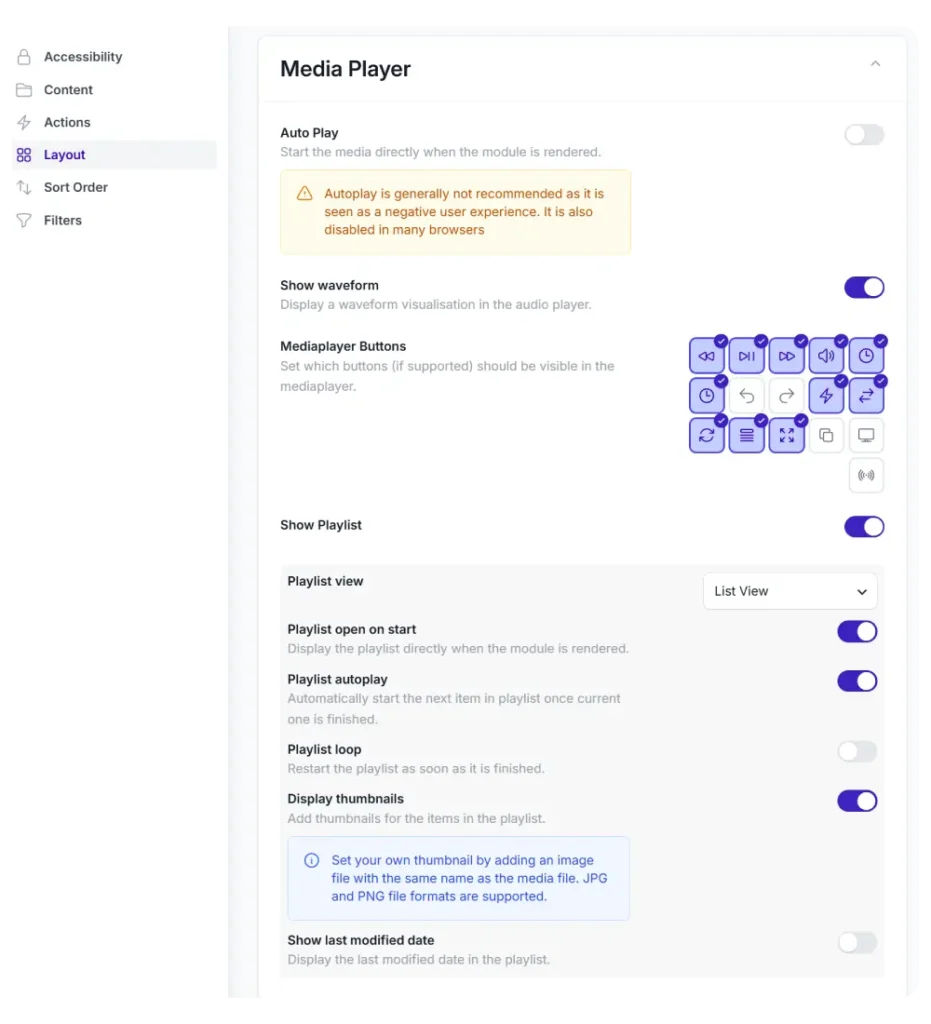
Configure every aspect of the Audio Player through the Module Configurator. No code required.
Waveform visualization on or off
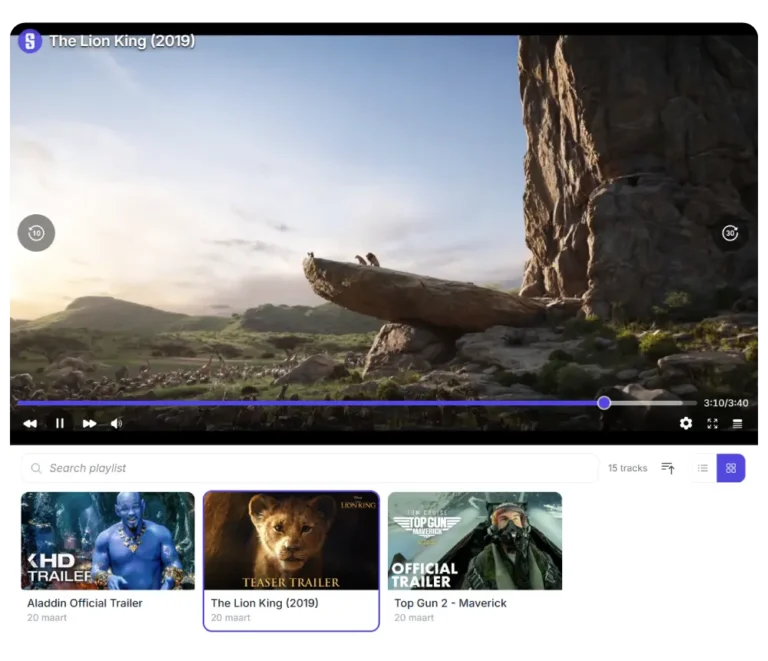
Playlist layout: list view or grid view
Toggle each control individually
Auto-play next track, playlist loop, and repeat mode
Show or hide thumbnails, dates, and time display
Notification recipients and channels
Place the finished module on any page using a shortcode, Gutenberg block, or page builder widget. Multiple Audio Players on the same page work independently. When one starts playing, the others pause automatically.
Space to play/pause, arrow keys to seek, M to mute. Full keyboard and screen reader support.
Media session
Lock screen controls, headphone buttons, and browser media hubs work out of the box via the Media Session API.
Playlist search
Search across track names, descriptions, and paths. Results grouped by folder.
Light & Dark mode
The audio player adapts to your site's color scheme or the visitor's system preference.
Download and share
Let visitors download individual tracks or the entire playlist as a ZIP. Share links with one click.
Responsive
Synkivo uses modern UI and UX patterns. Your content will look great on both desktop and mobile pages.
Works with the tools you already use
Embed the Audio Player in any page builder: Gutenberg, Elementor, Divi 5, or WPBakery. Sell audio files through WooCommerce or Easy Digital Downloads with cloud-based delivery.