
Works with your favorite WordPress tools
Synkivo connects your cloud storage to WordPress. These integrations make sure it fits right into your workflow, whether you build pages with Elementor, sell products with WooCommerce, or collect files through Gravity Forms.












Page Builders
Every Synkivo module works out of the box with the most popular WordPress page builders. No shortcode pasting required. Each builder has a native block or widget that lets you place, configure, and preview your cloud module visually.

Gutenberg
Native Synkivo block. Search for "Synkivo" in the block inserter. Pick your module and publish.

Elementor
Dedicated Synkivo widget in the Elementor panel. Drag it onto any section, select your module, done.

Divi 5
Synkivo module available in the Divi Builder module library. Works in both the Visual Builder and backend editor.

WPBakery
WPBakery element for cloud modules. Add it like any other WPBakery content element.

Classic Editor
TinyMCE button in the toolbar. Click it, select your module, insert the shortcode.
Using a page builder that’s not listed? No problem. Copy the shortcode from the Module Manager and paste it anywhere your builder allows custom HTML or shortcodes.
Form Plugins

Contact Form 7
Add a cloud upload tag to any CF7 form. Supports file type restrictions and size limits.

WPForms
Cloud upload field in the WPForms drag-and-drop builder. Works with conditional logic and multi-step forms.

Gravity Forms
Cloud upload field for Gravity Forms. Compatible with conditional logic, file validation, and multi-page forms.

Formidable Forms
Cloud upload field type. Works with Formidable's advanced form features and views.
Elementor Forms
Cloud upload widget for Elementor Pro forms. Add it alongside other form fields in the Elementor editor.
Dynamic upload folders
Use form field values to set the upload destination dynamically. For example: upload to /Submissions/{name}/{date}/.
Automatic file renaming
Rename uploaded files using form field values and placeholders. No more upload_7f3a2b.pdf file names.
File type restrictions
Control which file types are accepted per form. Set maximum file sizes.
Multiple upload fields
Add multiple cloud upload fields to a single form, each pointing to a different folder or cloud account.
Notifications
Get email notifications when a form with cloud uploads is submitted. Links to the uploaded files are included in the notification.
Drag and drop uploads
Visitors drag files onto the upload field or click to browse. Each file shows a real-time progress bar during upload.
Don’t need a form? The Upload Box module handles standalone cloud uploads with drag-and-drop, progress bars, and folder routing.
WooCommerce
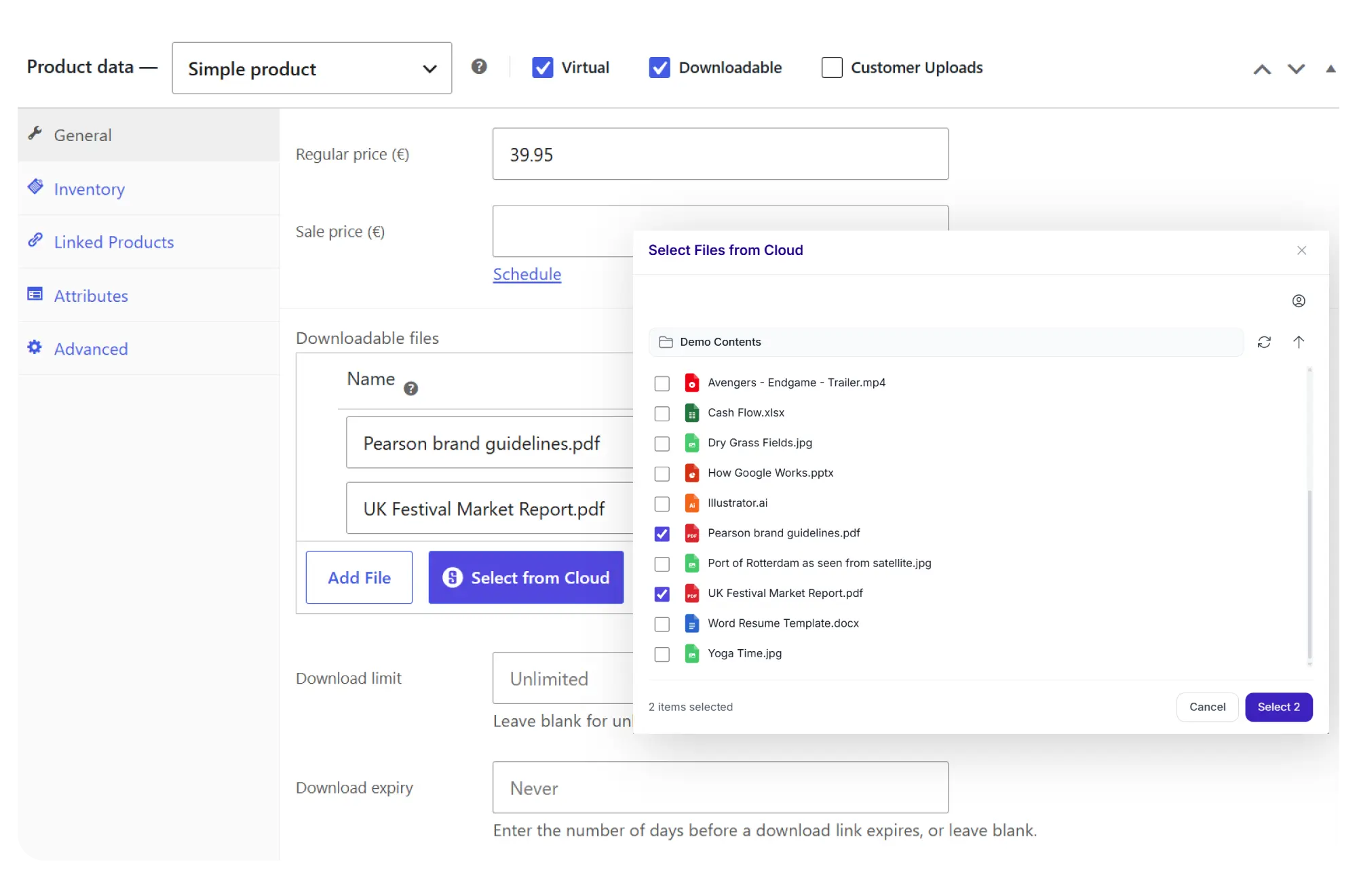
Sell digital products stored in your cloud, or let customers upload files to their orders. No files are duplicated to your WordPress server. Everything stays in your cloud storage.
Sell digital products from your cloud
- Pick files using the cloud file picker in the product editor
- Secure download links generated per order
- Files served directly from your cloud storage
- Update files once, all future downloads get the new version
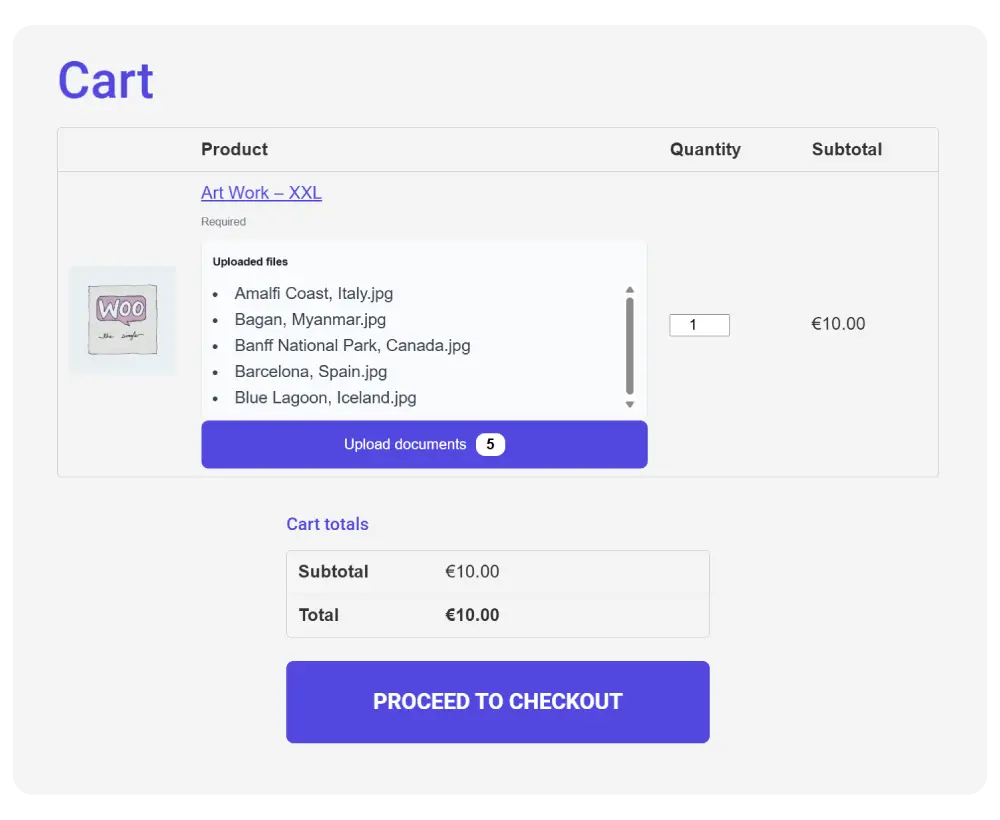
Let customers attach files to orders
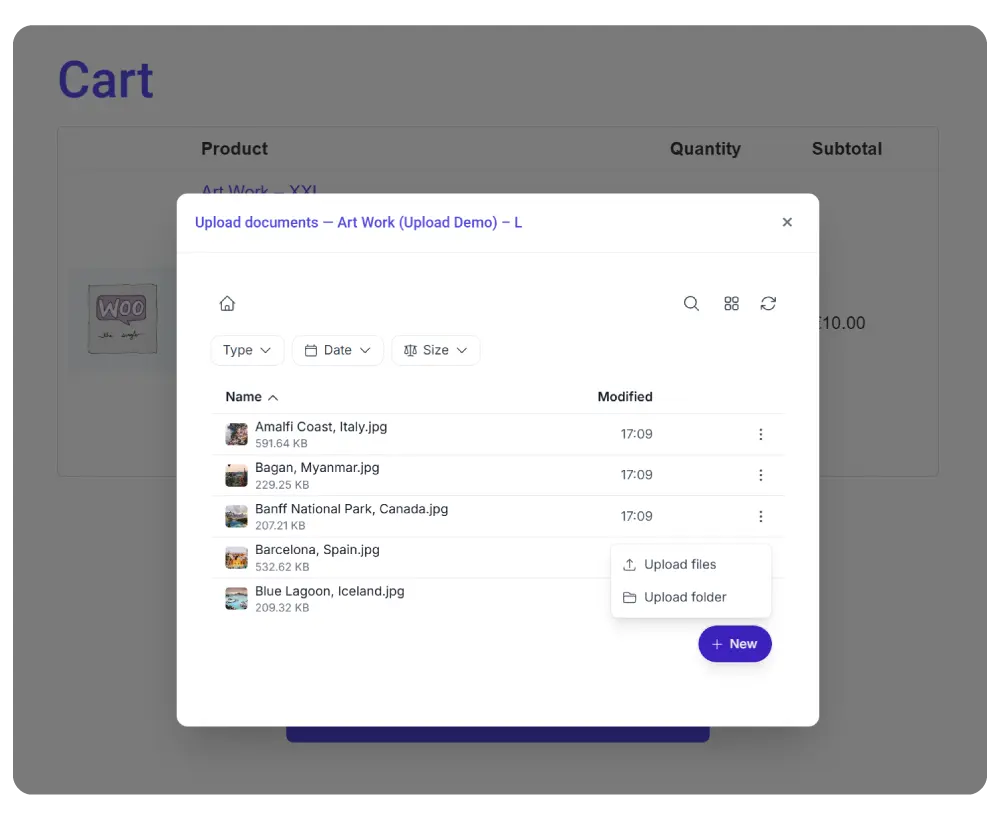
Add a cloud upload box to your product page, shopping cart, checkout, or order detail page. Customers can attach documents, designs, specifications, or any file your workflow requires.
Each order gets its own folder in your cloud storage, keeping everything organized. Use Dynamic Folders to automate the folder structure per customer or per order.
- Upload box on product, cart, checkout, or order detail pages
- Per-order folders in your cloud storage
- File type and size restrictions
- Works with Dynamic Folders for automated organization
Easy Digital Downloads
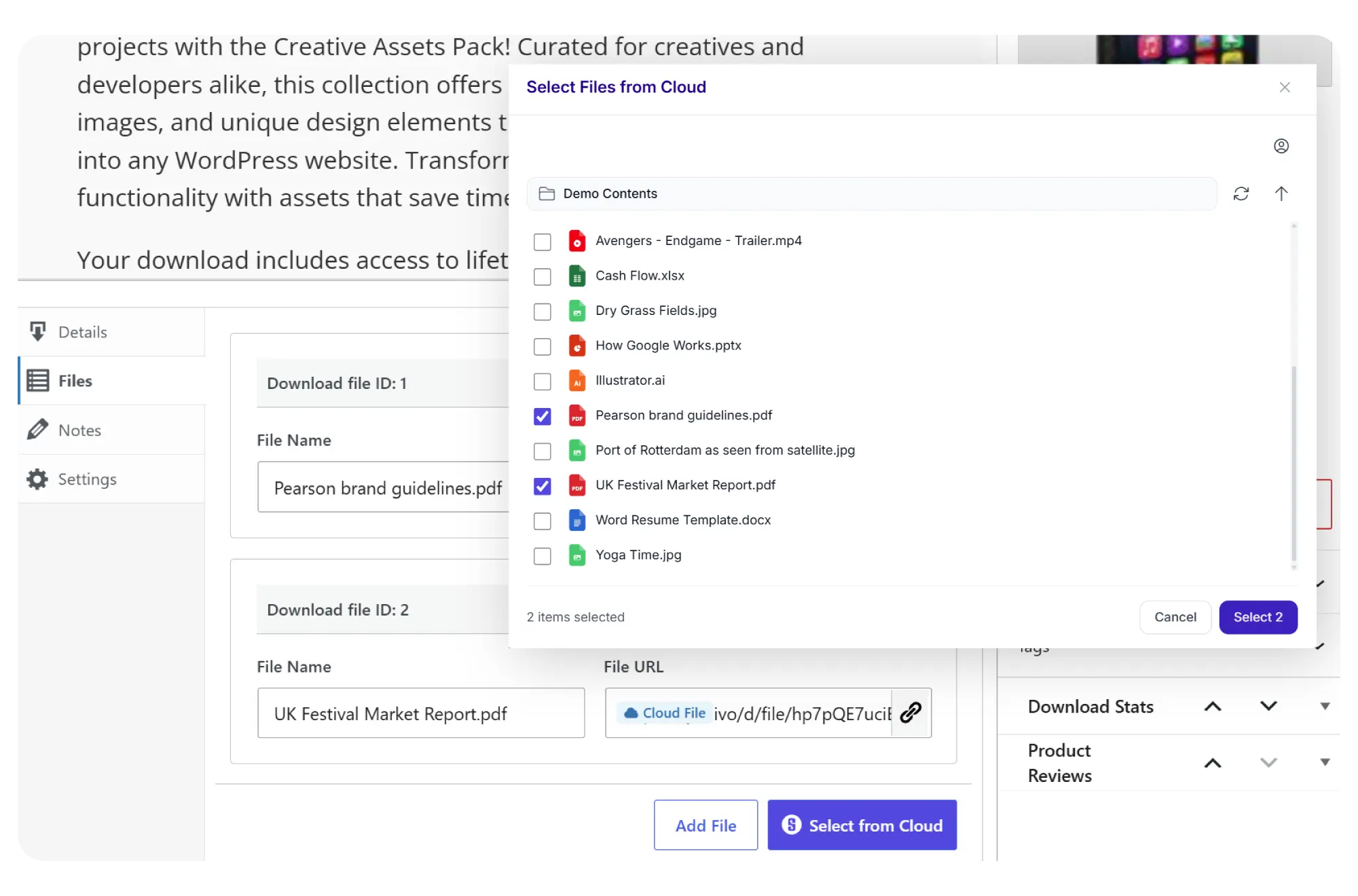
- Cloud file picker in EDD product settings
- Secure, temporary download links per purchase
- Multiple download files per product
- Files served from your cloud, not your server
Advanced Custom Fields
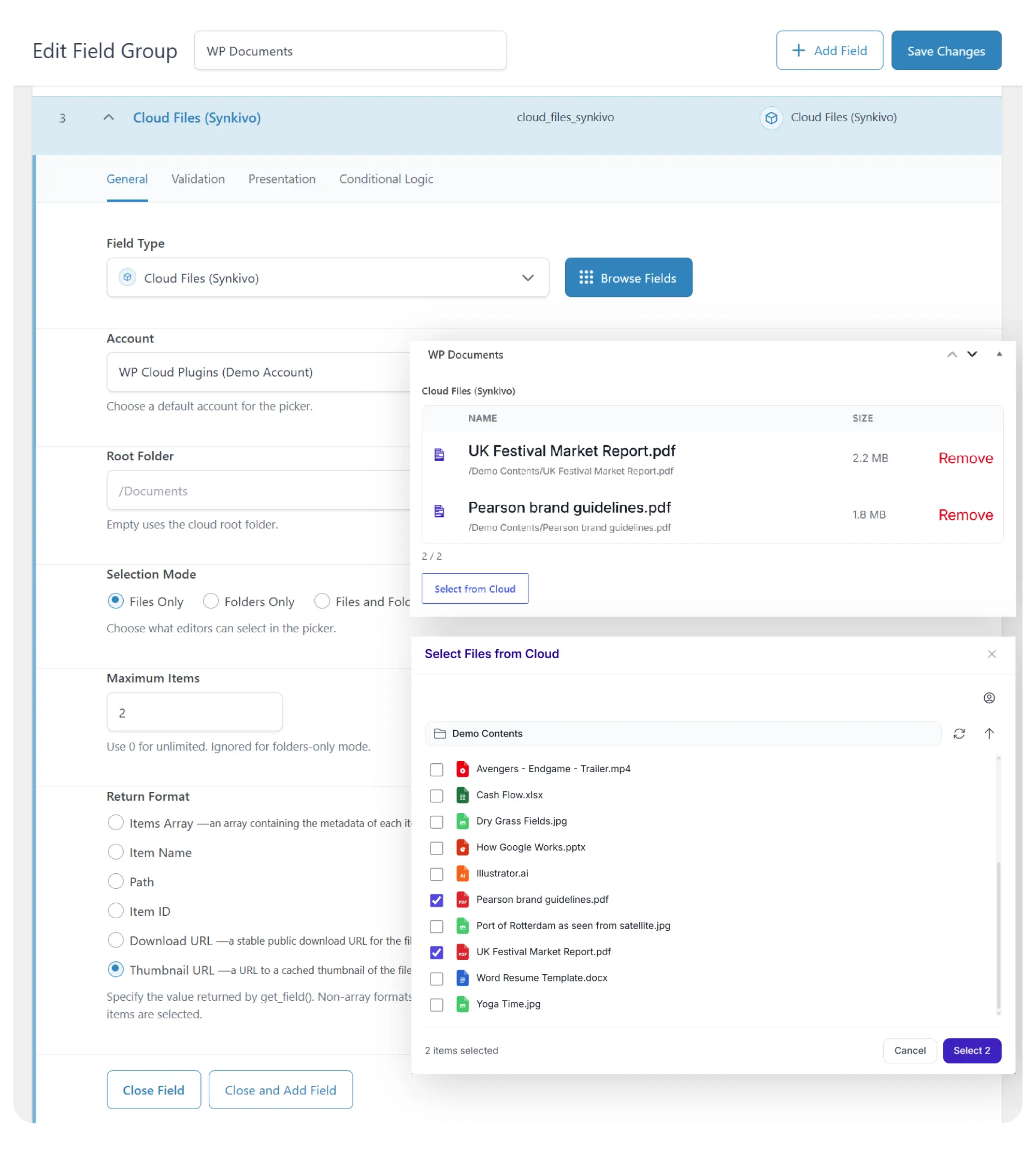
get_field() in your theme templates to display file metadata, thumbnails, and download links anywhere on your site.- Custom "Cloud Files (Synkivo)" field type in ACF
- Visual file and folder picker in the edit screen
- Returns metadata: name, size, thumbnail URL, download URL, description
- Select multiple files per field
- Works with ACF field groups on posts, pages, and custom post types
Code Example (PHP)
					$documents = get_field('project_documents');
foreach ($documents as $doc) {
    echo '<a href="' . $doc['download_url'] . '">' . $doc['name'] . '</a>';
}
Developer Tools
Synkivo is built for developers who need programmatic access. Use the REST API to build custom integrations, the PHP API for server-side workflows, or hooks and filters to customize plugin behavior.
REST API
Full REST API under `synkivo/v1` namespace. All operations: browse, upload, download, share, search, manage files.
PHP API
Direct PHP access via the `API` class. Use `API::set_account_by_id()`, `API::get_folder()`, `API::upload_file()`, etc.
Hooks & Filters
Actions and filters for all major events. Customize upload paths, modify responses, add custom validation, control access.
Shortcodes
Embed any module using shortcodes with customizable attributes. Use them in theme templates, custom plugins, or any context that supports WordPress shortcodes.
Placeholders
Template system for dynamic folder names, email templates, and file renaming. Supports user fields, dates, form field values, and more.
Slack & Webhooks
Send file event notifications to Slack channels or trigger external systems with signed JSON webhooks. Connect to Zapier, Make, n8n, or custom endpoints.
Code Examples
Code Example (PHP) - Custom URL Shortener
					// Add a custom URL shortener for share links
add_filter('synkivo/api/url_shortener/shorten', function ($url, $service, $params) {
    $response = wp_remote_post('https://api.short.io/links', [
        'headers' => ['Authorization' => SHORTIO_API_KEY],
        'body'    => wp_json_encode(['originalURL' => $url, 'domain' => 'link.example.com']),
    ]);

    $body = json_decode(wp_remote_retrieve_body($response), true);
    return $body['shortURL'] ?? $url;
}, 10, 3);
Code Example (PHP) - Upload server file
					// Upload a file to a specific cloud folder
API::set_account_by_id('my_account');
$folder = API::get_folder('/Client Uploads/');
API::upload_file($folder, $file_path, 'report.pdf');
API::clear_account();