
WordPress cloud storage providers
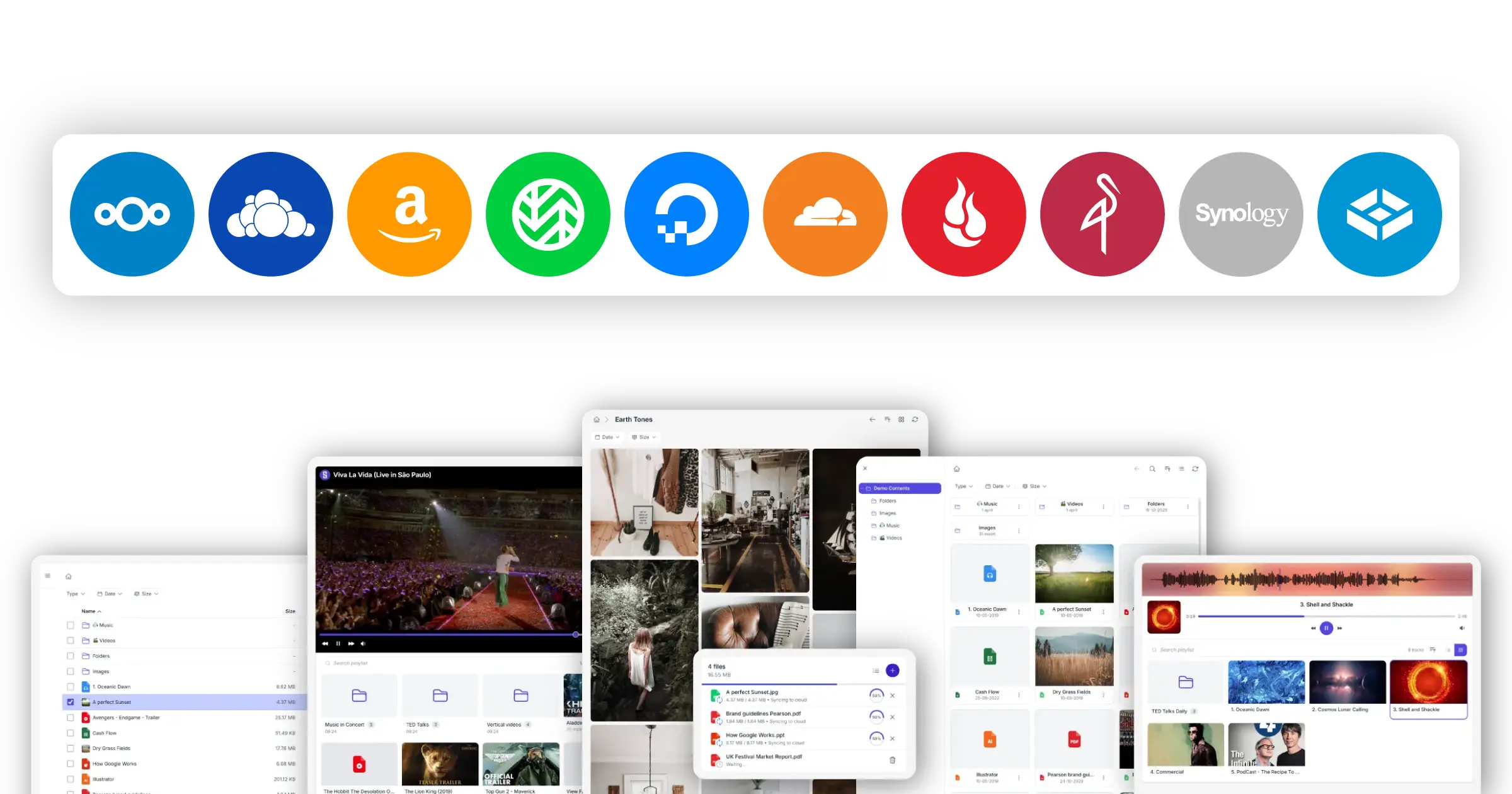
Choose how Synkivo connects to your cloud
Different customers need different storage.
Some run their own servers because they want full control over where files live. Others rely on cloud platforms because they want scale, global delivery, and predictable pay-as-you-go costs. Synkivo supports both, in one plugin, with the same module builder and the same Media Library integration regardless of provider.
Below: every provider Synkivo connects to today, grouped by how they work. Click any provider with a dedicated page to see how it fits with WordPress.
Self-hosted providers
Your server. Your storage. Your rules. Files never leave the infrastructure you control.
Self-hosted providers run on your own infrastructure. You decide where the data lives, which jurisdictions it stays in, who has access, and how it is backed up. Synkivo connects WordPress to your self-hosted storage without copying files or syncing them elsewhere.
Nextcloud
Self-hosted file storage and collaboration platform.
- File browsing, uploads, galleries, and streaming support
- Per-user folder mapping in WordPress
- Works with Nextcloud 30+

ownCloud
Self-hosted document and file management for enterprise environments.
- File browsing, uploads, galleries, and streaming support
- Per-user folder mapping in WordPress
- Compatible with ownCloud Server 10.x
WebDAV servers
Generic file access protocol for NAS and self-hosted storage including Synology, Asustor, TrueNAS.
- Standard WebDAV authentication (basic auth or app passwords)
- Works with NAS systems and custom WebDAV servers
- Same Media Library integration as other providers
MinIO self-hosted
Self-hosted S3-compatible object storage.
- Full S3 API compatibility
- Deployable on-premises or in private infrastructure
- Works with all Synkivo S3 module configuration
Object storage providers (S3-compatible)
Storage that scales independently from your WordPress site. Pay only for what you use. Deliver files from a global edge network.
Object storage moves your files out of your WordPress host and into a service designed for scale and global delivery. Your WordPress site stays lightweight; your storage grows with your content. Synkivo speaks the S3 API, which means it works with AWS S3 directly and with every S3-compatible provider in the ecosystem.

AWS S3
- IAM-based authentication with scoped bucket access
- Signed URLs for secure file access and streaming
- Works with WordPress Media Library, Elementor, WooCommerce, and ACF

Wasabi
- S3-compatible API with standard integration setup
- No egress fees under typical usage conditions
- Suitable for media-heavy workloads and archives

Cloudflare R2
- S3-compatible API with AWS-style credentials
- No egress fees for downloads and streaming
- Works well with Cloudflare CDN environments

Backblaze B2
- S3-compatible API access
- Low per-GB storage pricing
- Optimized for backups and media archives

DigitalOcean Spaces
- S3-compatible API for easy integration
- Built-in CDN for file delivery
- Predictable flat-rate pricing model
MinIO (cloud / hosted)
- Full S3 API compatibility
- Runs in private cloud or hosted infrastructure
- Same Synkivo configuration as AWS S3-compatible providers
Managed cloud platforms
Account-based cloud storage from consumer and business providers. Connect through your provider account; no servers to run.
Dropbox
All Dropbox accounts, including Free, Business and Enterprise.
- Fast downloads via temporary URLs
- Preview support for PDF and Office documents
- Full-text search inside files with Dropbox Business
- WooCommerce & EDD support for fast file delivery
OneDrive
- File browsing, galleries, audio and video streaming
- Full-text search inside files via the OneDrive search API
- Fast thumbnails for images and Office documents and PDFs
- Direct uploads from WordPress to OneDrive folders
SharePoint
Microsoft SharePoint sites and document libraries from Microsoft 365 tenants.
- File browsing, galleries, audio and video streaming
- Full-text search across SharePoint document libraries via the Microsoft Graph API
- Fast thumbnails for images, Office documents, and PDFs
- Direct uploads to SharePoint document libraries
pCloud
Cloud storage with EU-based servers and a focus on long-term, privacy-friendly file storage.
- File browsing, galleries, audio and video streaming
- Direct uploads from WordPress to pCloud folders
Compare providers
What each provider brings to Synkivo, and the typical setups they fit best.
| Provider | Category | Provider strengths in Synkivo | Common Synkivo setups |
|---|---|---|---|
| Nextcloud | Self-hosted | Privacy-first storage, full data control, GDPR-friendly architecture | Client portals, document libraries, personal folders |
| ownCloud | Self-hosted | Enterprise document management, established compliance workflows | Internal portals, compliance workflows, document exchange |
| WebDAV | Self-hosted | Connects existing NAS and self-hosted servers without new infrastructure | NAS publishing, private file sharing, hybrid storage |
| MinIO | Self-hosted | S3-compatible storage on your own infrastructure | Private cloud storage, self-hosted media libraries |
| AWS S3 | Object storage | Global infrastructure, scalable media delivery, signed URL streaming | Media hosting, download portals, large galleries, eCommerce digital downloads |
| Wasabi | Object storage | High-volume media storage with a predictable billing model | Media archives, video libraries, large file collections |
| Cloudflare R2 | Object storage | Heavy outbound traffic without egress fees, Cloudflare network delivery | High-traffic downloads, media streaming, CDN delivery, eCommerce digital downloads |
| Backblaze B2 | Object storage | Archive-oriented storage for media-heavy WordPress sites | Download archives, long-term storage, media backups, eCommerce digital downloads |
| DigitalOcean Spaces | Object storage | Built-in CDN, simple integration for DigitalOcean-hosted sites | CDN-powered media libraries, hosted WordPress sites, eCommerce digital downloads |
| pCloud | Managed cloud | EU-based storage, privacy-friendly file hosting | Personal portfolios, file sharing, media galleries, eCommerce digital downloads |
| OneDrive Personal | Managed cloud | Full-text search, fast thumbnails, direct uploads via OneDrive APIs | Creator portfolios, personal galleries, file sharing, eCommerce digital downloads. |
| OneDrive for Business | Managed cloud | Full-text search, fast thumbnails, direct uploads via Microsoft Graph | Team document portals, Microsoft 365 workflows |
| SharePoint | Managed cloud | Full-text search across document libraries, fast thumbnails, direct uploads via Microsoft Graph | Enterprise portals, intranets, document publishing |
All providers work with the same Synkivo modules, the same Media Library integration, and the same security architecture. Switching providers later is a configuration change, not a rewrite.
Most popular Synkivo setups
The combinations Synkivo customers most commonly choose, and what they typically build with them.
Self-hosted document portals with full control
A client portal, internal staff site, or members-only page that pulls from your Nextcloud server. Personal folder mapping shows each user only their own files.
Scalable media delivery for high-volume sites
Audio, video, and large image libraries that stream directly from S3. WordPress stays lightweight; storage scales independently
Enterprise document portals from Microsoft 365
A public-facing site or partner portal that surfaces SharePoint document libraries. Full-text search and thumbnails come from Microsoft Graph; permissions stay in SharePoint.
High-traffic file delivery without egress costs
A site that distributes downloads, media, or assets at scale. R2's product design means outbound traffic does not add to the storage bill.
Existing NAS infrastructure as your WordPress storage layer
A small business or non-profit that already runs a Synology NAS. WordPress connects through WebDAV, no new infrastructure needed.
How to choose a provider
For visitors who have not picked a storage provider yet. Find yourself in one of these situations.
You already run Nextcloud or ownCloud
Use the self-hosted integration for whichever you have. Synkivo connects through standard authentication and respects the permissions your server already enforces. No migration needed.
You use Microsoft 365 at work
Use OneDrive for Business or SharePoint. Synkivo authenticatesthrough your Microsoft 365 account and surfaces files insideWordPress with the same permissions your tenant enforces.Full-text search and fast thumbnails come from Microsoft Graph.
You want files in the cloud, not on your WordPress host
Choose an S3-compatible provider. AWS S3 is the default if you do not have a preference; other S3-compatible options work identically inside Synkivo. Your WordPress host stays lightweight.
You have a Synology or other NAS at the office
Use WebDAV. Synkivo connects to your NAS over the standard WebDAV protocol that NAS systems expose. Synology is tested; other WebDAV-compatible NAS systems should work the same way.
You need maximum control over where files live
Choose a self-hosted provider (Nextcloud, ownCloud, WebDAV, or self-hosted MinIO). Files stay on infrastructure you operate, not on a third-party cloud platform.
Still unsure?
Start with a free Synkivo trial on whichever provider you have credentials for. Switching later takes a few minutes of reconfiguration, not a migration project.